Unlocking Customer Insights: The Ultimate Guide to Scraping Google Maps Reviews
The Goldmine of Customer Feedback
In the digital age, data is the new oil, and customer reviews are the refineries that turn that raw data into actionable intelligence. For businesses, researchers, and marketers, Google Maps represents one of the largest repositories of unfiltered public opinion on the planet. Millions of users leave detailed feedback, photos, and ratings daily, creating a massive dataset that reflects real-world market sentiment.
However, accessing this data at scale presents a significant technical challenge. Manually copying and pasting reviews is impossible for anything beyond a handful of locations. This is where automation tools come into play. Specifically, the Google Maps Reviews Scraper serves as a powerful bridge between chaotic web data and structured analysis, allowing you to extract thousands of reviews in minutes.
If you need the business-discovery layer before reviews, start with our guide on how to scrape Google Maps. For the wider toolkit behind these workflows, see the Apify API Actors project.
In this guide, we will dive deep into the capabilities of this API, exploring how it works, its standout features, and how you can leverage the Apify platform to automate your market research pipelines efficiently.
Understanding the Apify Platform
Before examining the specific actor, it is essential to understand the infrastructure that powers it. This tool runs on Apify, a comprehensive cloud platform designed for web scraping and robotic process automation (RPA). Unlike running scripts on a local machine, which relies on your own internet connection and IP address (leading to frequent blocks), Apify provides a serverless cloud environment.
The platform offers critical advantages for data extraction:
- Scalability: You can run multiple instances of the scraper simultaneously to gather data from hundreds of business listings at once.
- Proxy Management: The platform handles IP rotation automatically. This is crucial for scraping Google Maps, which has strict anti-bot measures. The system rotates through a pool of residential and datacenter proxies to ensure high success rates.
- Storage and Export: Data is automatically stored in standardized datasets, ready to be exported in formats like JSON, CSV, XML, or Excel.
- Scheduling: You can set up cron jobs to run the scraper periodically (e.g., every Monday at 9 AM) to track how reviews change over time.
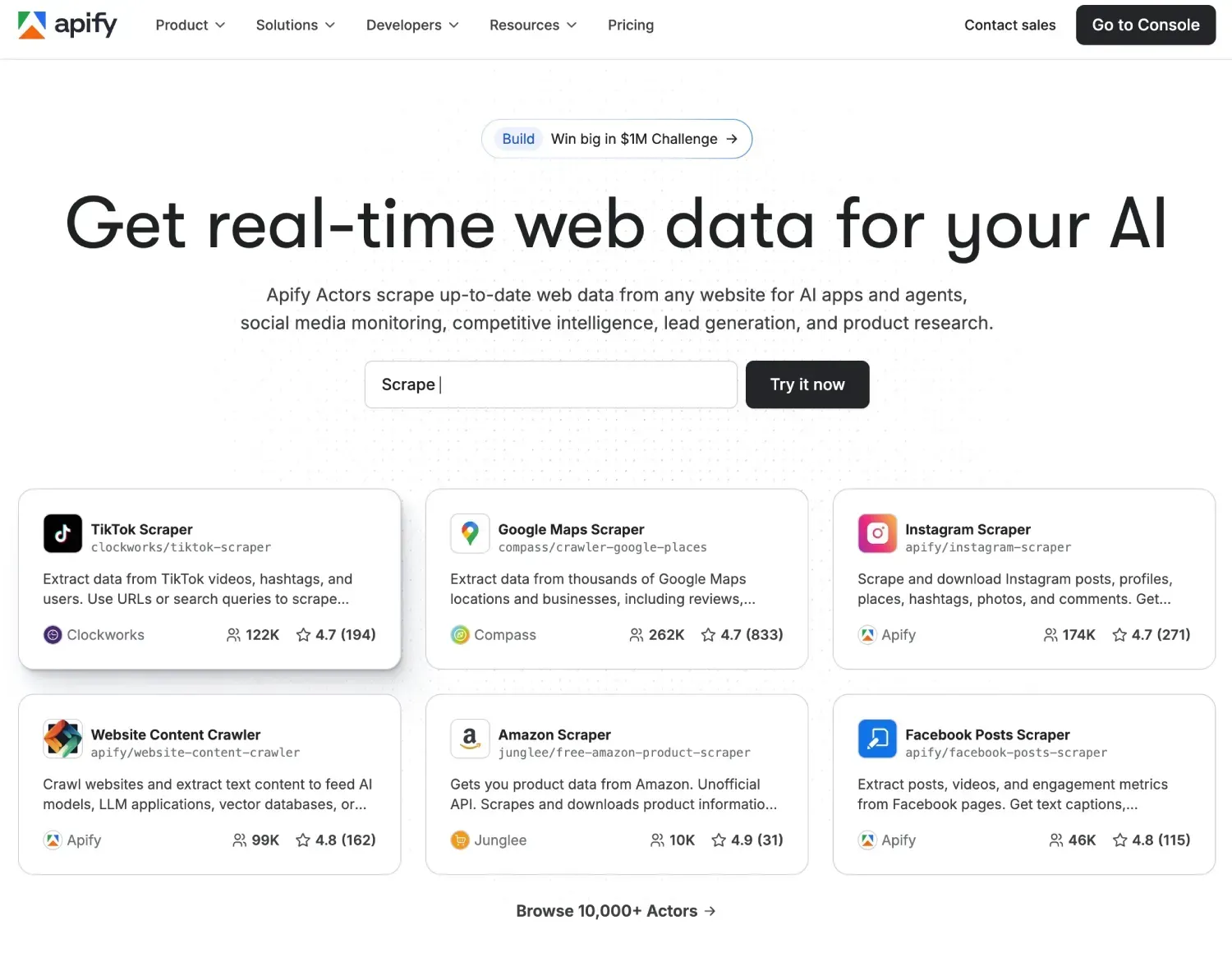
If you haven’t yet, you can sign up for Apify here to get started with a free account that includes generous usage credits.
Overview: Google Maps Reviews Scraper
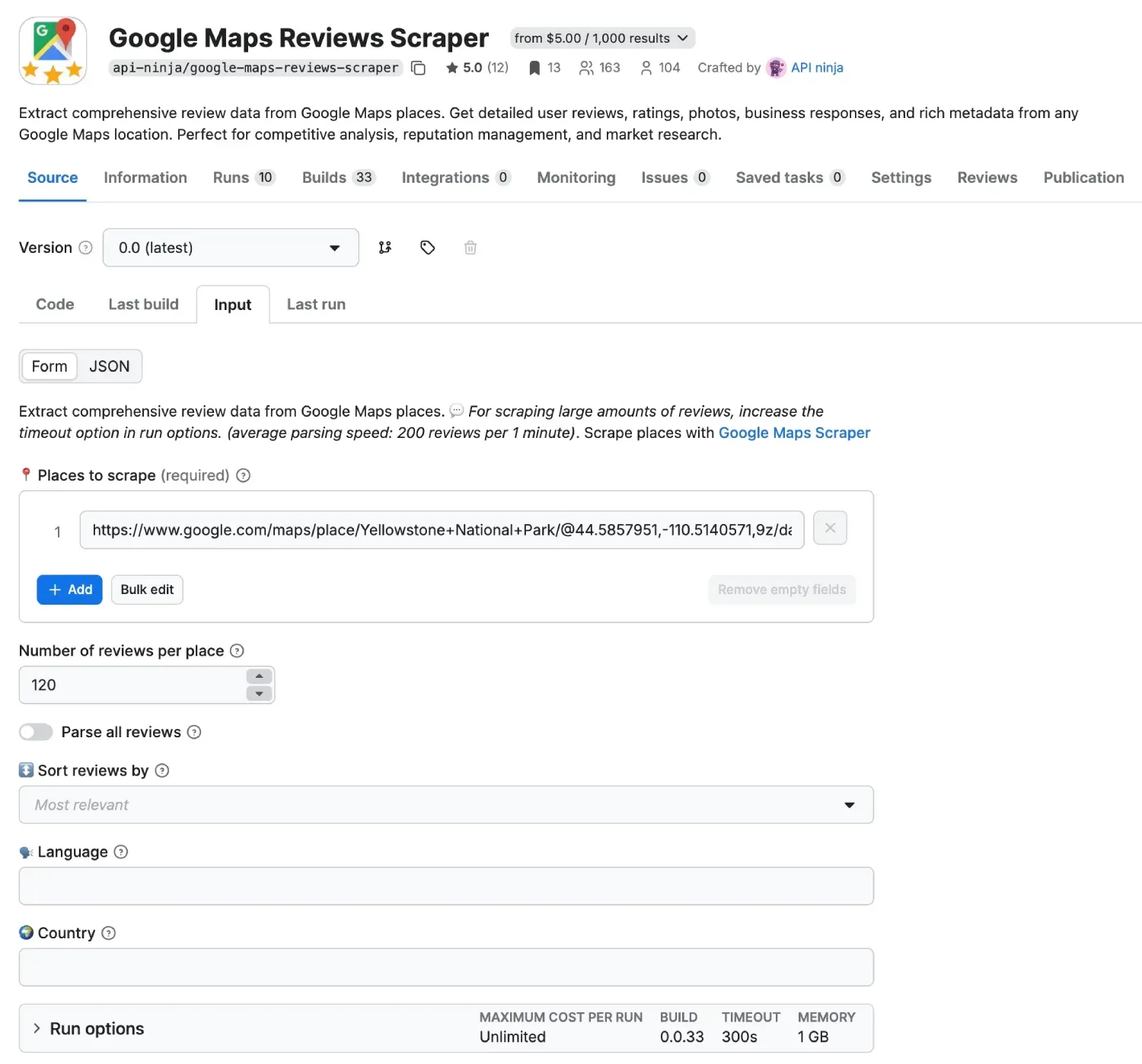
The Google Maps Reviews Scraper is a specialized tool developed by API Ninja. While general purpose scrapers might grab basic business details, this actor is laser-focused on the Feedback tab of Google Maps listings. It is engineered to navigate the complex scroll-loading mechanisms of Google’s interface to retrieve comprehensive review data.
Rather than just giving you a star rating, this API extracts the rich context surrounding the feedback. This allows for deep semantic analysis. You are not just learning that a restaurant has 4.2 stars; you are learning that the “food is excellent” but the “service is slow on weekends.”
Key Use Cases
- Reputation Management: Monitor negative reviews across franchise locations to address customer complaints instantly.
- Competitor Analysis: Scrape your competitors’ reviews to find their weaknesses (e.g., “prices are too high”) and capitalize on them.
- Sentiment Analysis: Feed the raw text data into Natural Language Processing (NLP) models to gauge overall brand health.
- Market Research: Identify trending keywords in specific industries based on what customers are mentioning most frequently.
Killing Features
Why choose this specific actor over building your own Selenium script? Here are the features that make it a production-ready solution:
1. Comprehensive Data Extraction
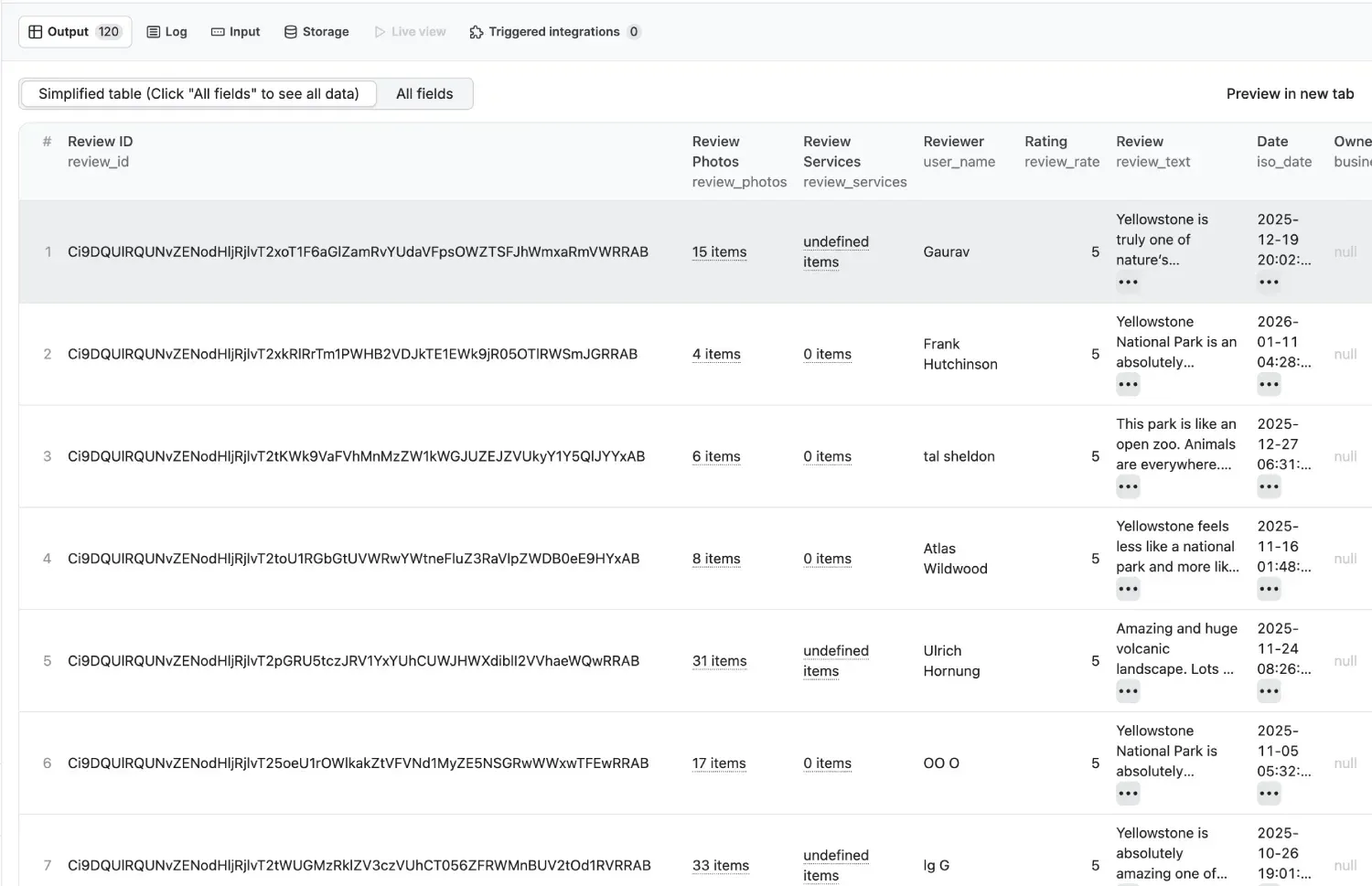
The tool does not just scrape the review text. It captures a full object model for every review, including:
- Reviewer Metadata: Name, ID, photo URL, and whether they are a “Local Guide.”
- Detailed Ratings: The star count (1-5).
- Temporal Data: The relative date (e.g., “2 weeks ago”) and absolute timestamps converted for easy database sorting.
- Multimedia: Links to images attached to the review by the customer.
- Owner Responses: If the business owner replied, the scraper captures that text as well, which is vital for analyzing customer service performance.
2. Smart Sort & Filtering
You can configure the scraper to behave like a real user sorting the feed. You can extract “Newest,” “Highest Rating,” “Lowest Rating,” or “Most Relevant.” This is particularly useful if you only want to ingest the latest feedback into your CRM without re-scraping historical data.
3. Infinite Scroll Handling
Google Maps loads reviews dynamically as you scroll down. This actor automatically handles the infinite scrolling behavior, ensuring it retrieves the exact number of reviews you requested, whether that is 10 or 10,000.
4. Localization Support
Reviews can be displayed in different languages depending on the viewer’s settings. This actor allows you to define the language and region settings, ensuring you get the review text in the format most useful for your analysis.
Related Tooling
It is worth noting that while this tool excels at reviews, you might occasionally need broader data about the business itself, such as phone numbers, opening hours, or precise lat/long coordinates. For those comprehensive entity details, we recommend looking into the standard Google Maps Scraper. Using these two actors in tandem creates a complete intelligence profile for any location.
The full lead-generation workflow is covered in Ultimate Guide: How to Scrape Google Maps in 2026.
How to Use the Actor: A Step-by-Step Guide
Integrating this API into your workflow is straightforward. Even if you are not a developer, the visual interface on the Apify Console makes it accessible.
Step 1: Create an Account
First, navigate to the Apify Sign Up page. You can register with your email or GitHub credentials. Upon signing up, you will have access to the Apify Console.
Step 2: Locate the Actor
Go to the Apify Store or click directly on the Google Maps Reviews Scraper page. Click the Try for free button to open the actor in your personal console workspace.
Step 3: Configure the Input
The input configuration tells the scraper which locations to target. You have several modes of operation:
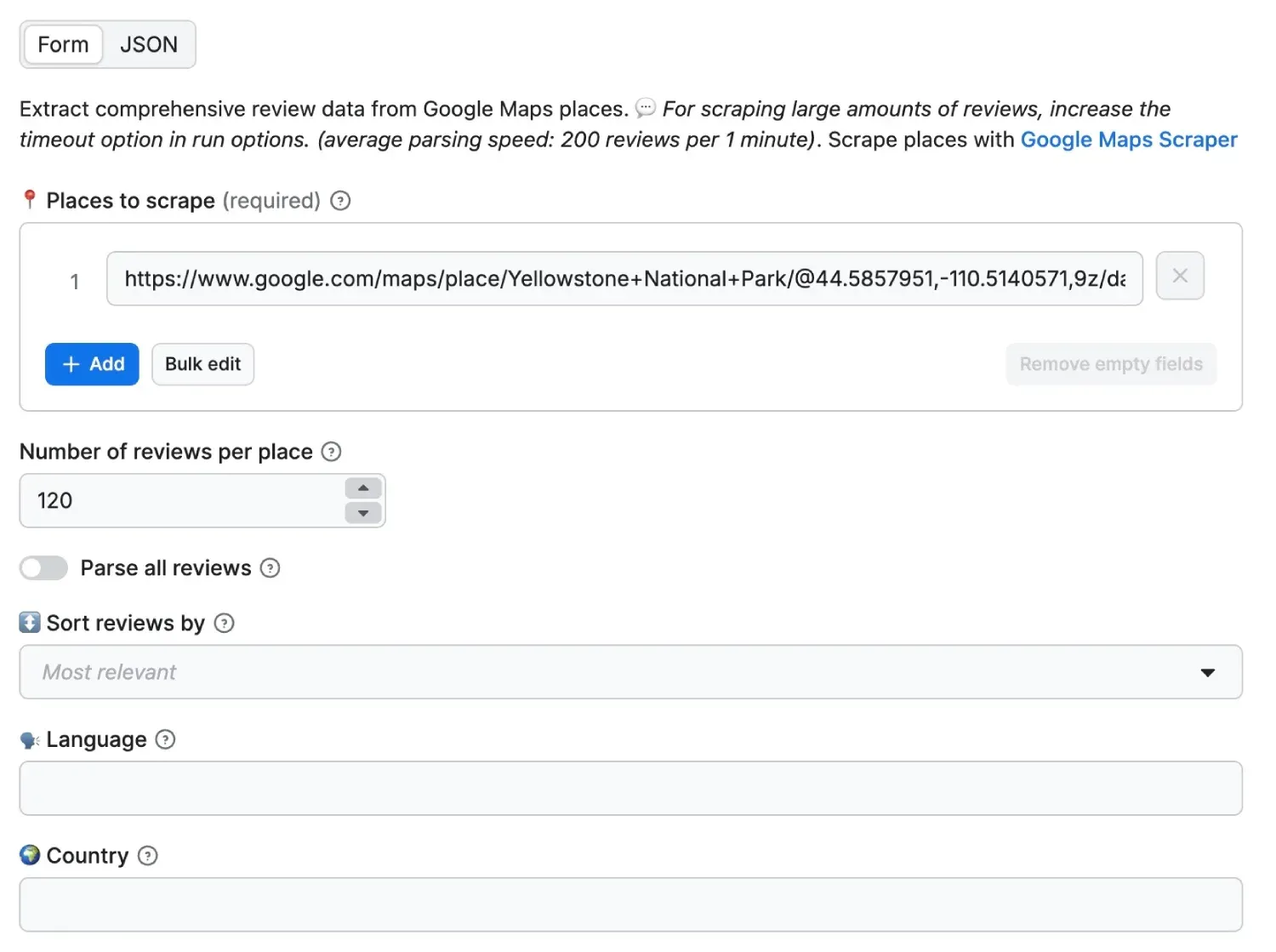
- Direct URLs: Paste the exact Google Maps URL of the business (e.g.,
https://www.google.com/maps/place/...). - Search Query: Provide a search term like “Coffee shops in Seattle” to scrape reviews from the top results.
- Place IDs: For developers, using the Google Place ID is the most accurate way to target a specific entity.
You can also set the maxReviews parameter. If you leave this empty or set it to 0, the scraper will attempt to get everything available. If you just want a snapshot, you might set this to 50.
{
  "startUrls": [
    { "url": "https://www.google.com/maps/place/Central+Park/..." }
  ],
  "maxReviews": 100,
  "sort": "newest",
  "language": "en"
}
Step 4: Run the Scraper
Click the green Start button at the bottom of the screen. The status will change to Running. You can watch the Log tab to see the scraper navigating pages and extracting data in real-time.
Step 5: Export Your Data
Once the run status changes to Succeeded, click on the Storage tab. Here you can preview your data. For analysis, you will likely want to download it. Click Export and select your preferred format:
- CSV/Excel: Best for opening in spreadsheets or uploading to simple dashboards.
- JSON: Ideal for developers integrating the data into applications or NoSQL databases.
Technical Integration
For developers building automated systems, you do not need to log in to the console every time. You can invoke this actor via the Apify API.
Here is a conceptual example of how you might trigger the scrape using Node.js:
import { ApifyClient } from "apify-client";

const client = new ApifyClient({
	token: "YOUR_APIFY_TOKEN",
});

// Prepare the input
const input = {
	urls: ["https://www.google.com/maps/place/Example..."],
	maxReviews: 50,
};

// Run the actor
const run = await client.actor("api-ninja/google-maps-reviews-scraper").call(input);

// Fetch results
const { items } = await client.dataset(run.defaultDatasetId).listItems();
console.log(items);
This capability makes it easy to build dashboards that track brand sentiment automatically. Imagine a system where your marketing team gets a Slack alert whenever a location receives a 1-star review containing specific keywords like “rude” or “dirty.” By combining the reviews scraper with your internal logic, this is entirely possible.
Tips for High-Quality Scraping
To ensure you get the most out of the tool, consider these best practices:
- Respect Rate Limits: While Apify handles proxies, aggressive scraping of thousands of locations in seconds can still trigger flags. Spread your workload.
- Combine with Place Details: Reviews are often more valuable when contextualized with the business’s category and address. As mentioned earlier, utilizing the Google Maps Scraper alongside this review tool provides a holistic view of the data landscape.
- Clean Your Data: Review text often contains emojis, misspellings, and slang. Plan for a post-processing step to clean the data before feeding it into analytics tools.
Conclusion
The voice of the customer is loud and clear on Google Maps, but listening to it at scale requires the right tools. The Google Maps Reviews Scraper by API Ninja proves to be a robust, reliable, and scalable solution for harvesting this data. Whether you are conducting academic research, monitoring brand reputation, or building a lead generation engine, this actor simplifies the complexity of web scraping into a few clicks or a simple API call.
By leveraging the power of the Apify platform, you remove the headache of maintaining proxies and headless browsers, allowing you to focus on what matters most: the insights hidden within the reviews.
Ready to start mining insights? Sign up for Apify today and deploy your first scraper in minutes.
If you want to compare more scraping and automation tools from the same stack, open the Apify API Actors project page.
Frequently Asked Questions
Can I scrape reviews for multiple places in one run?
Yes. You can provide multiple URLs, queries, or place identifiers and process them in a single workflow.
Can I sort reviews by newest or lowest rating?
Yes. The scraper supports review sorting modes such as newest, lowest rating, highest rating, and relevant.
Can I export review data for dashboards and NLP pipelines?
Yes. You can export results in JSON, CSV, and spreadsheet-friendly formats for downstream analysis.
~Max Dziura