Ultimate Guide: How to Scrape Google Maps in 2026 (No-Code & Scalable)
Extracting data from Google Maps is the “holy grail” for lead generation, local SEO, and market research. Whether you need a list of every “Roofing Contractor in Texas” or “EV Charging Stations in Berlin,” having a structured database of names, phone numbers, and websites is a game-changer.
In this guide, we’ll explore the most efficient way to scrape Google Maps, bypass the 60-result limit, and use the Google Maps Scraper to build a massive business database without writing a single line of code.
If review mining is your next step after lead collection, pair this with our guide on scraping Google Maps reviews. For a broader overview of the tooling behind these workflows, see the Apify API Actors project.
Why Google Maps is a Goldmine for Business Data
Google Maps isn’t just a navigation tool; it’s the world’s largest, most up-to-date directory of local businesses. Scraping this data allows you to:
- B2B Lead Generation: Build high-quality outreach lists with verified phone numbers.
- Local SEO Audits: Analyze which competitors are ranking in the “Map Pack” for specific keywords.
- Market Analysis: Identify “dead zones” where certain services are missing in a city.
- Real Estate & Logistics: Map out amenities around potential investment properties.
The “60-Result” Problem: Why the Official API Falls Short
Most developers start with the official Google Places API, only to realize it has two massive drawbacks:
- The Hard Limit: Google only returns a maximum of 60 results per query. If there are 500 pizza places in London, the API will hide 440 of them.
- The “Tax”: Costs can skyrocket if you are doing bulk lookups across entire countries.
To get every result, you need a scraper that “thinks” like a human moving across the map.
The Solution: Smart “Quadtree” Scraping
The Google Maps Scraper by API-Ninja uses a sophisticated Quadtree Search algorithm.
Instead of asking for a whole city at once (and getting capped at 60 results), the scraper divides the city into a grid. If a grid square is too “dense” with businesses, the scraper splits it into four smaller squares and searches again. It repeats this recursively until every single business is uncovered.
Key Features of the Actor:
- ✅ Deep Search Coverage: Bypasses the 120-result display limit of the web interface.
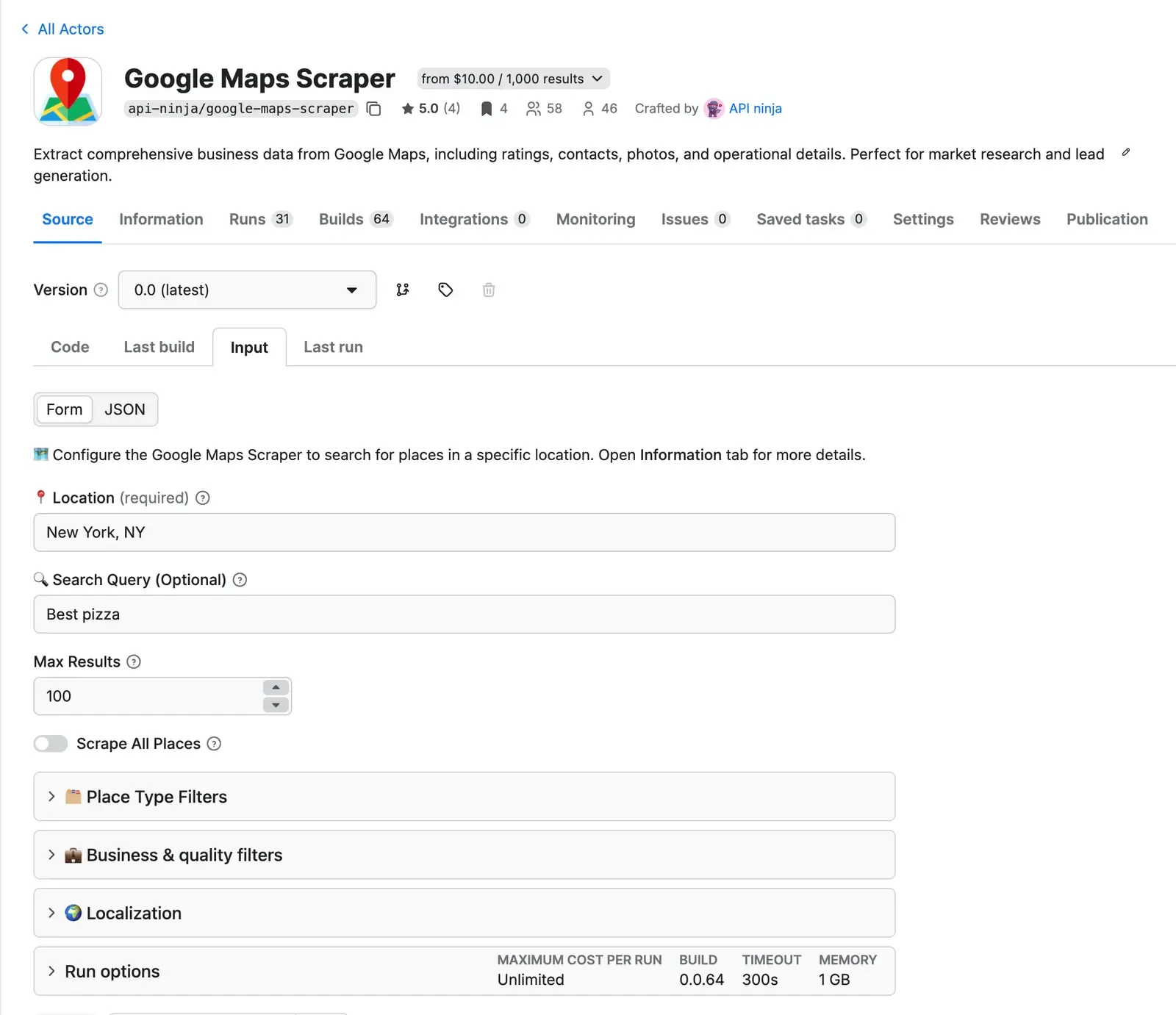
- ✅ No-Code Interface: Just enter a location and a keyword.
- ✅ EV Charging Specialized: Filter by connector types (Tesla, CCS, etc.) and charging speeds.
- ✅ Localization Control: Set languageCode to get results in English, Spanish, German, etc.
- ✅ Built-in Proxies: Uses the Apify platform to prevent IP blocks and CAPTCHA.
Step-by-Step: How to Scrape Google Maps Without Coding
1. Define Your Target Area
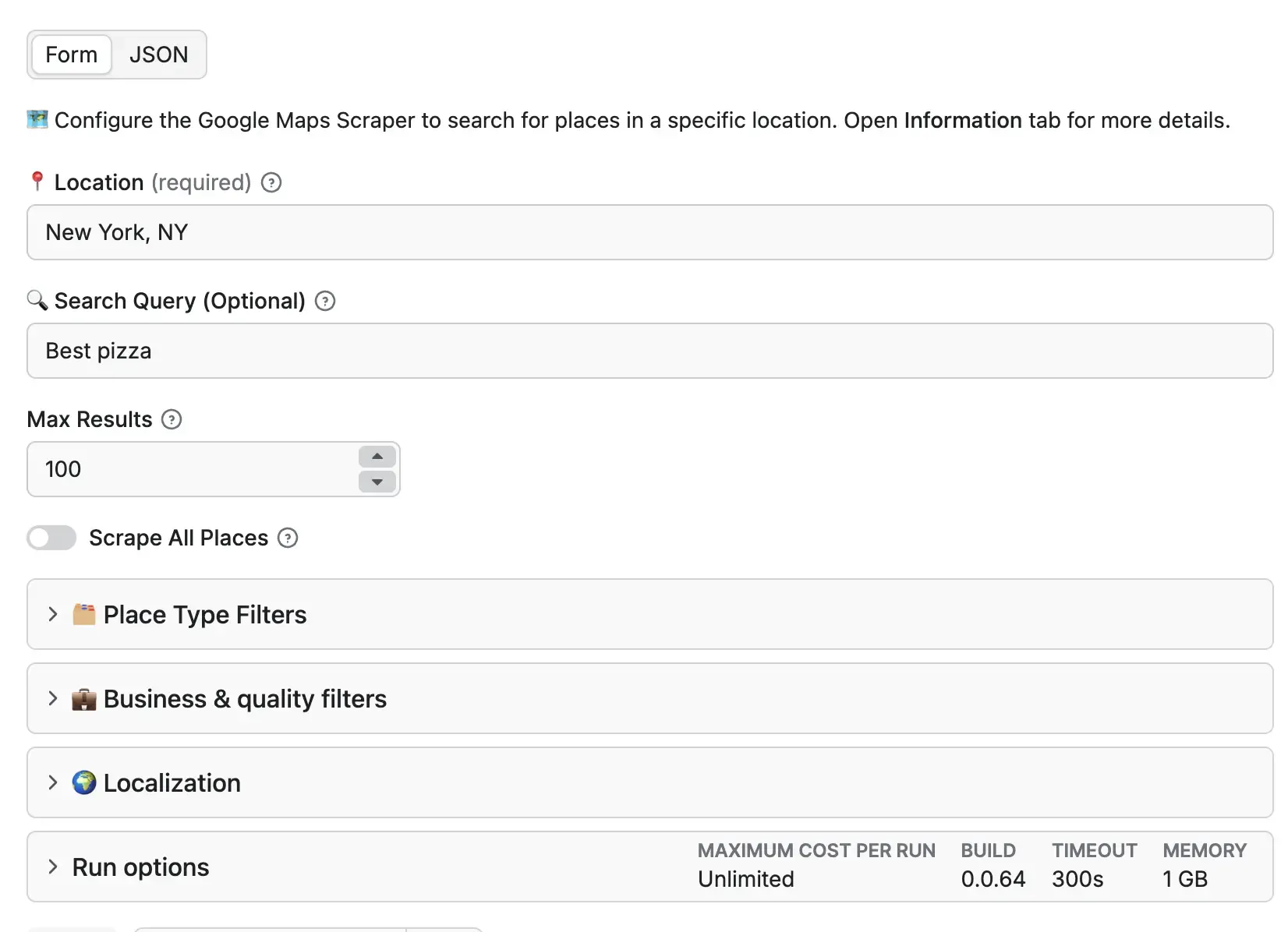
In the Actor Input, enter your target location. This can be as broad as “California” or as specific as a ZIP code or a street address.
2. Set Your Search Keywords
- Text Search: Enter keywords like “Yoga Studios” or “Plumbers.”
- Nearby Search: Leave it empty to find everything within the area, perfect for urban planning or general business mapping.
3. Apply Quality Filters
You can filter results before the scrape even starts:
- Minimum Rating: Only scrape businesses with 4 stars or higher.
- Price Levels: Target “budget” ($) or “luxury” ($$$$) establishments.
- Open Now: Only get businesses currently operating.
4. Enable “Scrape All Places”
For the most comprehensive data, check this box. This ensures the Quadtree algorithm runs at full power to find every single hidden result.
5. Export Your Leads
Once the run is complete, download your data in CSV, Excel, or JSON. You can import the CSV directly into your CRM (like Salesforce or Hubspot) or a Google Sheet.
What Data Fields Can You Extract?
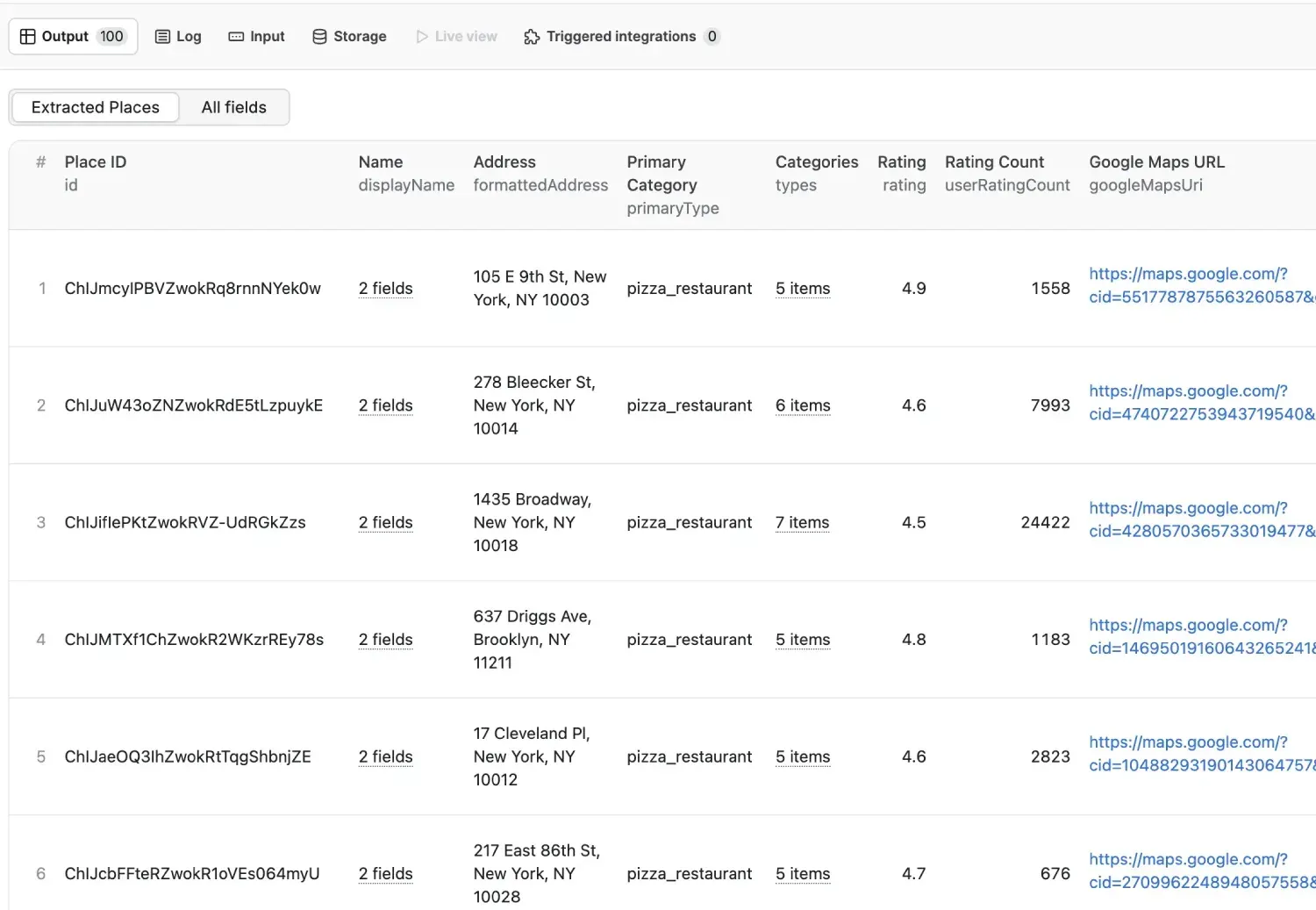
The scraper provides a rich, structured output for every business found:
Scaling Your Operations: Google Maps vs. Official API
💡 Ready to scale? You can run these scrapes on a schedule (e.g., every Monday) by choosing an Apify Subscription Plan.
Advanced Workflow: Getting Deep Reviews
If your goal is sentiment analysis or competitor research, finding the business is only half the battle. You also need the reviews.
The Pro Workflow:
- Run the Google Maps Scraper to get a list of businesses and their placeId.
- Take that list and feed it into the Google Maps Reviews Scraper.
- Extract the full text, author, date, and star rating for every single review.
We break down that second step in more detail in Unlocking Customer Insights: The Ultimate Guide to Scraping Google Maps Reviews.
Best Practices for Successful Scraping
- Start Small: Run a test with maxResultCount set to 50 to ensure your keywords are correct.
- Target Neighborhoods: For huge cities like London or NYC, searching by “District” or “ZIP Code” is faster and more thorough than searching the whole city.
- Use the Affiliate Link: If you are setting up a team or a long-term project, sign up through here to get the best platform support.
Is Scraping Google Maps Legal?
Yes. Scraping publicly available business information is generally legal for business intelligence and research. However, always ensure you are:
- GDPR/CCPA Compliant: Avoid storing personal data of reviewers if you are operating in regulated regions.
- Respectful: Don’t overwhelm the platform, use the built-in delays provided by the Actor.
Conclusion
Data is the new oil, and Google Maps is one of the richest wells available. Whether you are a solo freelancer or a data-driven marketing agency, the Google Maps Scraper gives you the power to extract thousands of leads in minutes.
If you also want a project-level index of the actors behind these workflows, browse the Apify API Actors page.
Frequently Asked Questions
Does this approach bypass the 60-result Places API limitation?
Yes. The scraper uses map subdivision logic to discover far more places than a single API query.
Do I need coding skills to run it?
No. You can run it from the Apify UI and export structured data without writing custom code.
What formats can I export my leads in?
Common exports include JSON, CSV, and Excel-friendly formats.
~Max Dziura